
Logbook
A logbook you never type into.
OnTime Kitbag is a free flight sim logbook for MSFS, X-Plane 12, P3D and FSX. It reads every leg from the simulator while you fly it, so the record is written by the time you set the parking brake.
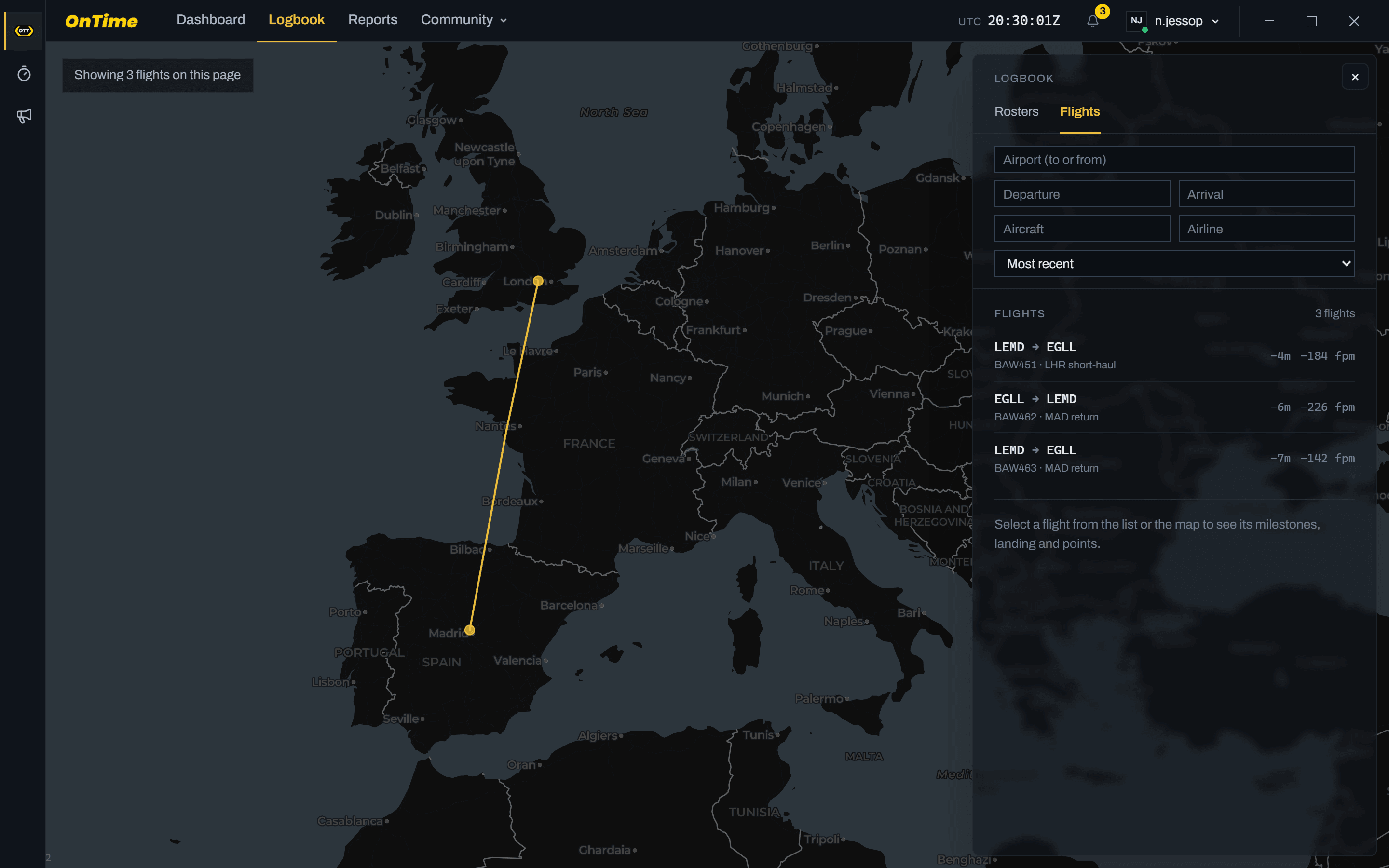
What every leg carries.
- Departure and destination, and where you actually landed if you diverted
- Off blocks, takeoff, touchdown and on blocks, read from the simulator
- Block time and flight time, worked out rather than typed
- Aircraft type, registration, airline and flight number
- The route you filed and the distance you covered
- Fuel burned over the leg
- Landing rate, the g force through the gear and where on the runway you touched
Every arrival is scored on more than the one number: the rate in feet per minute, the peak g through the gear, how far down the runway you touched, and whether you bounced. What counts as a good one.
What you can do with it.
- It fills itself in
- Kitbag reads the simulator ten times a second and writes the leg down as it happens. There is no timer to start, no form at the end, and nothing to remember once you have parked.
- Filter and sort it
- Narrow by airport, aircraft or date, and sort by distance, flight time or landing rate. Useful when you want every leg into a particular field, or your ten firmest arrivals.
- See it on a map
- Every flight you have logged, drawn together. It is the clearest picture of where your flying actually goes, as opposed to where you think it goes.
- Bring your history with you
- Import a CSV from whatever you used before, so switching does not mean starting from an empty logbook.
- Take it away again
- Export the whole thing to CSV whenever you like. It is your flying, and it opens in any spreadsheet.
- Read what it adds up to
- Reports pull the legs together: where you fly, how you land, and how both change over the months.
Start logging.
All of this is in OnTime Kitbag, which is free. OnTime Turnaround is the paid addon for flying full airline days, and it writes into the same logbook.
Works with
- MSFS 2024
- SimConnect, built in
- MSFS 2020
- SimConnect, built in
- X-Plane 12
- OnTime plugin, installed for you
- Prepar3D
- FSUIPC
One licence covers every one of them. Kitbag reads from the simulator and installs nothing into its folders, apart from the X-Plane plugin, which it puts in place for you from Settings.