
Addon for OnTime Kitbag · Windows
OnTime Turnaround
OnTime Kitbag is free and tracks every flight you fly. Start there if you have not installed it yet. OnTime Turnaround is the addon that runs a whole airline day against the clock.
Fly the schedule, not just the flight.
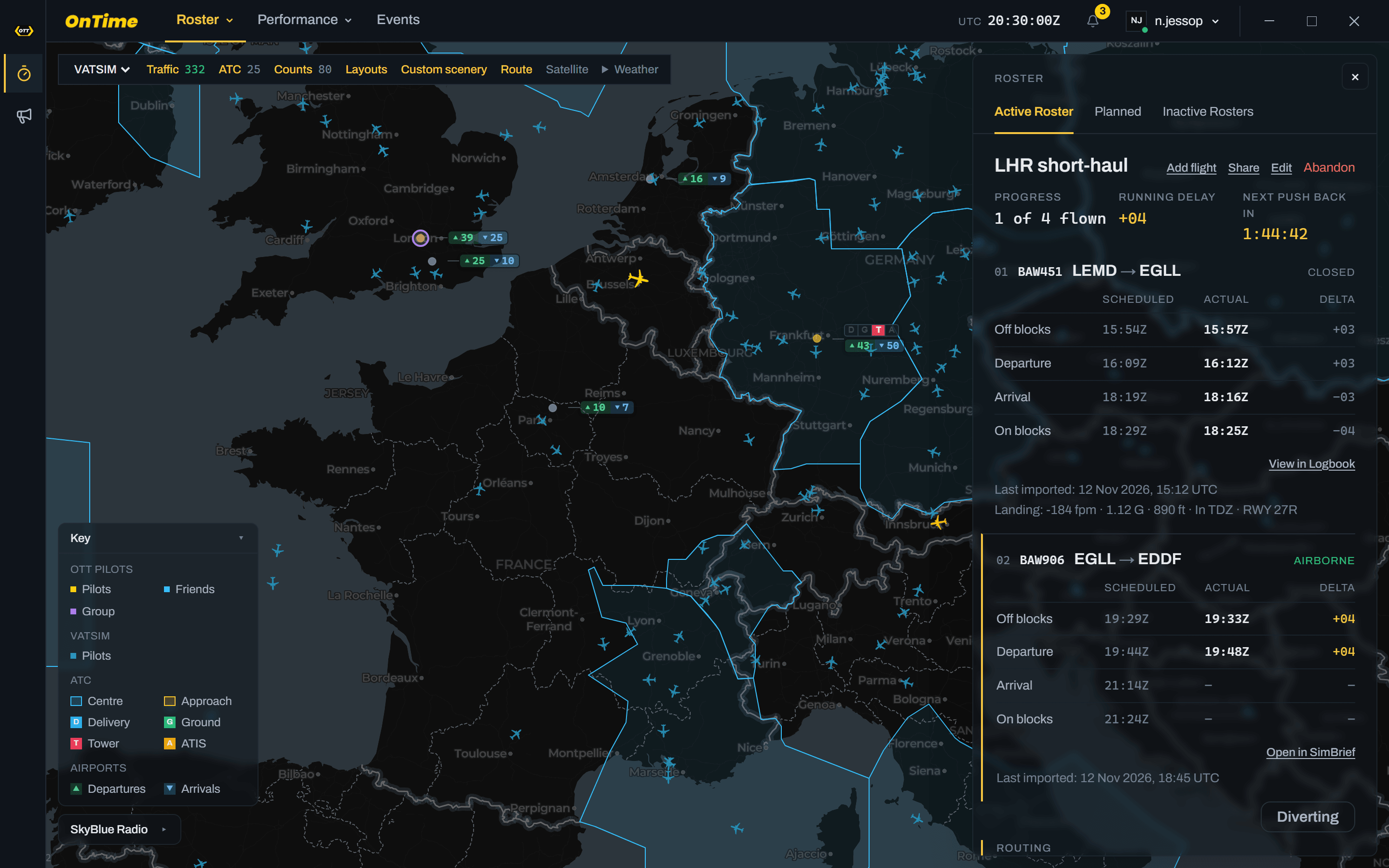
OnTime Kitbag already times every flight you fly. Turnaround turns those flights into a day: a roster of legs in order, a ground clock between them, and a delay on one sector that is still there at the next push back.
Works with
- MSFS 2024
- SimConnect, built in
- MSFS 2020
- SimConnect, built in
- X-Plane 12
- OnTime plugin, installed for you
- Prepar3D
- FSUIPC
One licence covers every one of them. Kitbag reads from the simulator and installs nothing into its folders, apart from the X-Plane plugin, which it puts in place for you from Settings.
What the addon adds.
Delay actually propagates
Land twenty minutes late and that twenty minutes follows you. The ground time between legs is the only place to win it back, and a tight turnaround tier leaves you very little of it.
Real schedules, or a day of your own
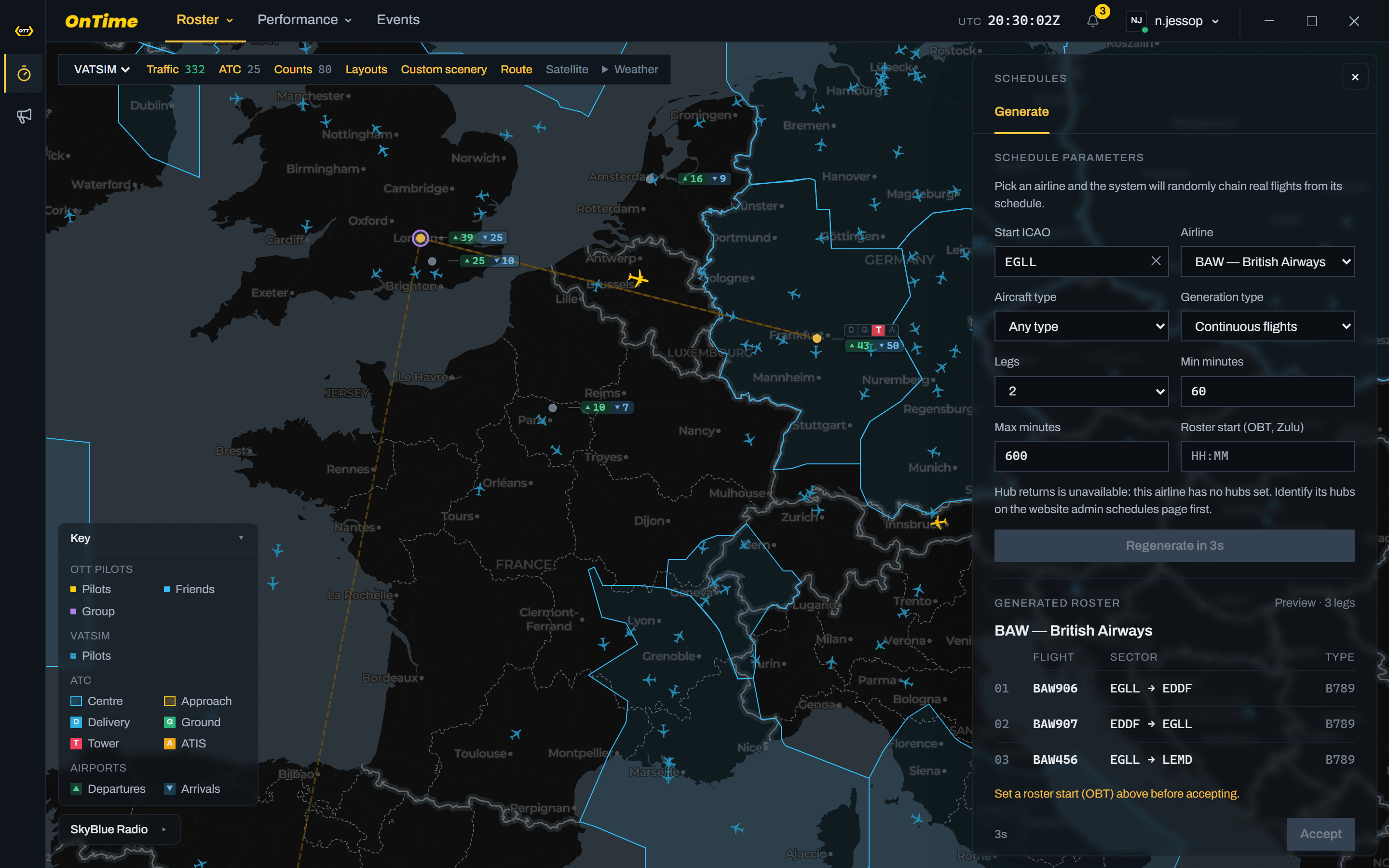
Generate a roster from the published schedule of a real airline, or build your own leg by leg and fly any route you like. Either way every leg gets its own flight plan, generated while you are still flying the last one.
The turnaround is the game
Choose how much ground time you get, from an easy forty minutes down to an extreme twenty. Arrive late and the clock gets tighter. Harder tiers earn up to 15% more points.
Scored against the schedule
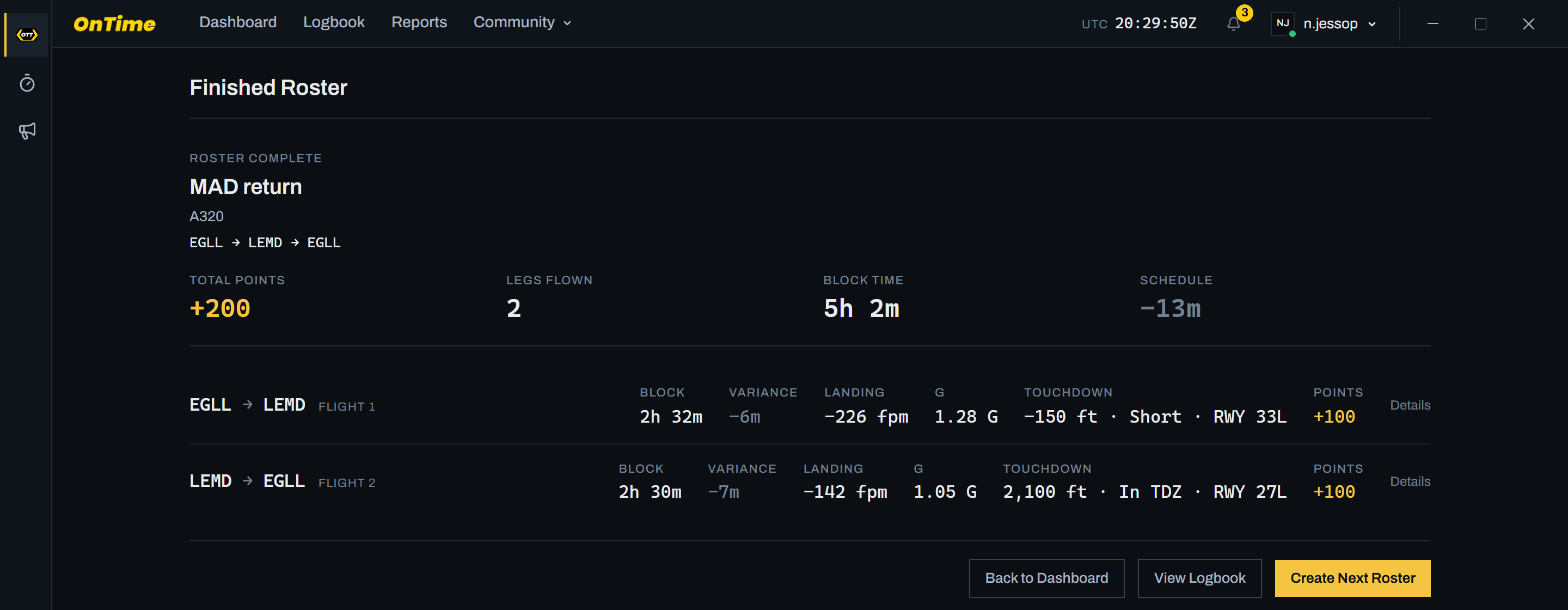
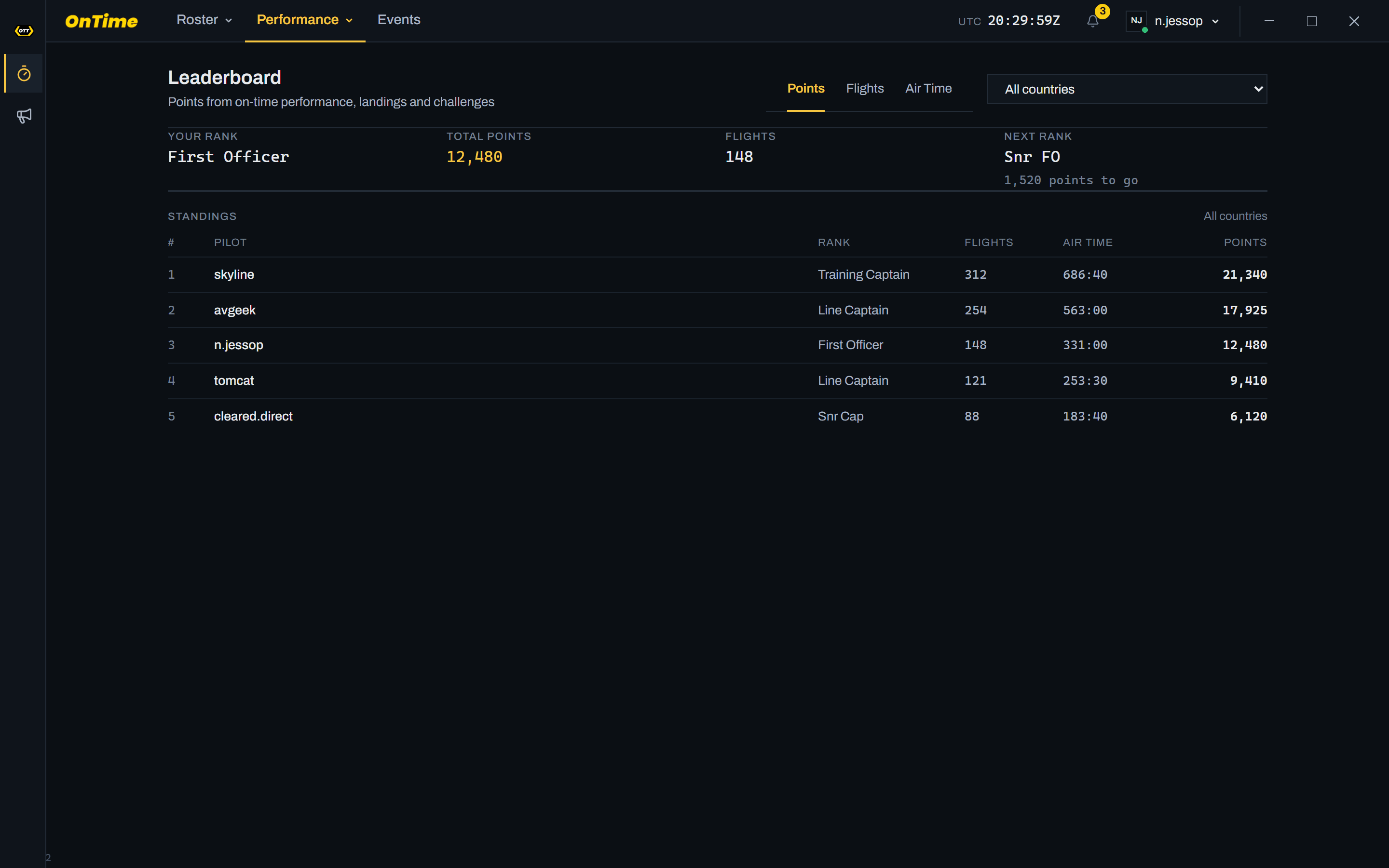
Every leg is judged on off blocks, departure, arrival and on blocks. Points for holding the line, penalties when the day gets away from you, and a leaderboard to measure it against.
A look at it.
System requirements.
| Component | Minimum | Recommended |
|---|---|---|
| Operating system | Windows 10 64-bit | Windows 11 64-bit |
| Simulator | MSFS 2020, MSFS 2024, X-Plane 12, P3D or FSX | MSFS 2024 or X-Plane 12 |
| Required add-on | None for MSFS or X-Plane 12. P3D and FSX connect through FSUIPC | None for MSFS or X-Plane 12. P3D and FSX connect through FSUIPC |
| Memory | 8 GB RAM (beyond the simulator) | 16 GB RAM |
| Disk space | 500 MB | 1 GB |
| Network | Broadband connection | Broadband connection |
OnTime Turnaround runs inside OnTime Kitbag, so the requirements are the same ones Kitbag already has. One licence covers every simulator it supports. MSFS 2020 and MSFS 2024 connect through SimConnect, which is built in, so there is nothing else to buy. X-Plane 12 connects through the OnTime plugin, which Kitbag installs for you from Settings. Prepar3D and FSX connect through FSUIPC. Other than that plugin, the app only reads from the sim and installs nothing into its folders. The setup guides walk through it step by step.
Get the updates.
What we are building, what just shipped, and the occasional offer. A few emails a year, never your address to anyone else, and you can unsubscribe from any of them.
We handle your address the way the privacy notice says, and every email has an unsubscribe link in it.